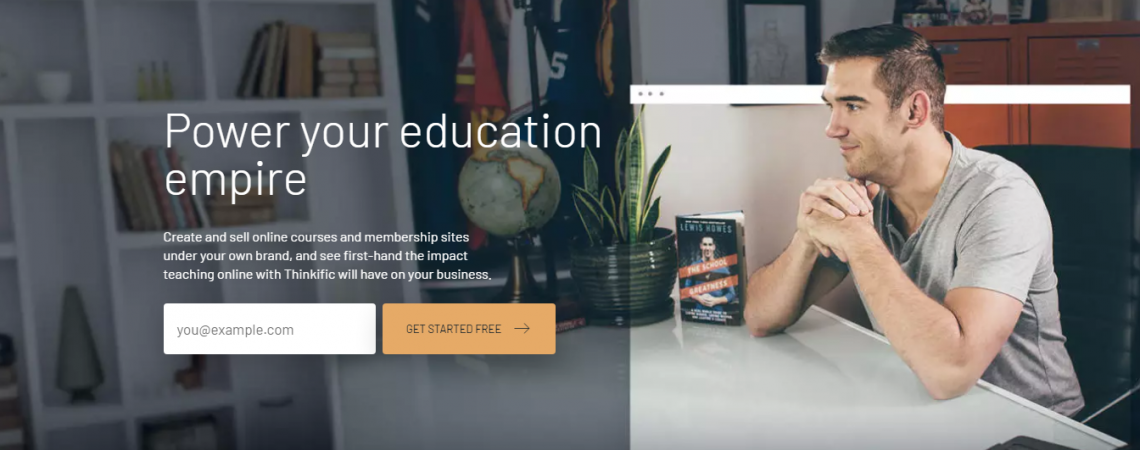
Thinkific Review 2026 – The All‑In‑One Platform for Building, Marketing, and Selling Online Courses
Table of Contents
- What Is Thinkific? – A quick snapshot
- Why the LMS Market Matters Today
- Thinkific at a Glance – Company Overview & Core Mission
- Why Online Course Platforms Matter in This Year
- Thinkific’s Core Value Proposition
- Deep‑Dive into Thinkific’s Feature Set
- 4.1 Building & Delivering Courses
- 4.2 Community & Membership Tools
- 4.3 Marketing & Sales Arsenal
- 4.4 Administration, Analytics, & Integrations
- 4.5 Security, Support, and Reliability
- Pricing & Plan Comparison (Table)
- Who Benefits Most from Thinkific? – Ideal use‑cases
- Pros, Cons, and How It Stacks Up Against Competitors
- Monetisation Tools – From One‑Time Sales to Subscription Models
- Student Experience & Learning Analytics
- Integrations & Ecosystem
- Understanding Thinkific Customer Support: A Comprehensive Overview
- Getting Started – Tips for a Smooth Launch
- Building a Course on Thinkific – Step‑by‑Step Walkthrough
- Final Verdict – Is Thinkific the right fit for you?
1. What Is Thinkific?
Thinkific is a cloud‑based learning‑management system (LMS) and e‑commerce platform that enables creators, educators, and businesses to turn knowledge into a sellable product. In plain English, Thinkific lets you build an online school where each “store item” is a course, a membership, a coaching session, or a digital download.
Unlike generic website builders that require a patchwork of plugins for course delivery, Thinkific is designed from the ground up to handle everything from curriculum creation to payment processing, student engagement, and performance analytics—all under your own brand.
Bottom line: Thinkfic is the “Shopify for online education” – a single, hosted environment where you can create, market, sell, and manage learning experiences.
2. Why the LMS Market Matters Today
The global Learning Management System (LMS) market is projected to exceed USD 67 billion by 2028, driven by three converging forces:
- Corporate Upskilling – Companies are investing heavily in continuous learning to stay competitive in a talent‑short market.
- Creator Economy Expansion – Independent educators, coaches, and subject‑matter experts are monetising expertise through digital courses.
- Hybrid Education Models – Higher‑education institutions blend in‑person and online experiences, demanding flexible, scalable platforms.
In this environment, Thinkific has emerged as a compelling option that balances the needs of enterprise customers, small‑business owners, and solo creators. The platform’s emphasis on no‑code course creation, robust monetisation tools, and a white‑label experience places it among the most versatile LMS solutions available today.
The purpose of this article is to provide a comprehensive, data‑driven review of Thinkific. Whether you are a corporate L&D manager evaluating SaaS options, a solo entrepreneur planning your first digital product, or an investor assessing market positioning, the insights below will help you make an informed decision.
3. Thinkific at a Glance – Company Overview & Core Mission
Founded in 2012 in Vancouver, Canada, Thinkific started as a marketplace for entrepreneurs who wanted to sell courses without dealing with the technical complexities of web development. Its founding mantra—“Teach what you love and make a living doing it”—has remained central to its product roadmap.
Key Milestones
| Year | Milestone | Significance |
|---|---|---|
| 2015 | Launch of Thinkific Plus (enterprise tier) | First step into B2B market |
| 2018 | Reached 100,000 active creators | Proof of product‑market fit |
| 2020 | Introduced Thinkific Payments (built‑in payment processing) | Reduced reliance on third‑party gateways |
| 2022 | Acquisition of OnlineCourseCreator.io (AI‑driven content assistance) | Expanded course‑authoring capabilities |
| 2024 | Release of Thinkific Community (native forums & gamification) | Deepened engagement & retention tools |
The company’s mission is succinctly captured in its tagline: “Empower creators to launch, grow, and scale their online schools.” This mission translates into three strategic pillars:
- Ease of Use – Drag‑and‑drop editors, pre‑built templates, and instant publishing.
- Scalability – Cloud‑native infrastructure capable of supporting tens of thousands of concurrent learners.
- Customisation – White‑label branding, API access, and an extensive integrations marketplace.
4. Why Online Course Platforms Matter in This Year
The post‑pandemic digital‑learning boom has evolved into a mature market:
| 2020 | 2023 | 2025 |
|---|---|---|
| 1.5 B online learners worldwide | 2.3 B online learners worldwide | 3.1 B online learners worldwide (projected) |
| $250 B education tech spend | $380 B education tech spend | $530 B education tech spend (projected) |
| 60 % of enterprises experiment with e‑learning | 78 % of enterprises run at least one e‑learning program | 92 % of enterprises have a formal online learning strategy |
Key drivers: Upskilling, remote work, micro‑credentialing, and the rise of the creator economy. For creators, the barrier to entry has lowered, but the competition for students’ attention has skyrocketed. A robust platform that can differentiate your brand, automate marketing, and deliver a seamless learning experience is no longer optional—it’s essential.
5. Thinkific’s Core Value Proposition
- All‑in‑One Infrastructure – Hosting, payment gateways, SSL, CDN, and compliance are baked in.
- Drag‑and‑Drop Course Builder – No coding required; you can import video, PDFs, audio, quizzes, SCORM packages, and more.
- Customizable Branding – From domain mapping to CSS/HTML editing, you control the look and feel.
- Built‑In Community & Membership Features – Unlimited “Spaces,” live events, and paid memberships keep learners engaged beyond the course.
- Advanced Sales Tools – Order bumps, bundles, coupons, affiliate tracking, and flexible payment plans.
- Data‑Driven Insights – Real‑time revenue dashboards, student progress analytics, and integrations with Google Analytics, Mixpanel, or custom BI tools.
- Scalable Support – 24/7 monitoring, SLA‑backed uptime, and dedicated Customer Success teams for higher‑tier plans.
In short, Thinkific gives you the e‑commerce engine and the teaching toolbox in a single, hosted solution—so you can focus on content, not infrastructure.
6. Deep‑Dive into Thinkific’s Feature Set
6.1 Building & Delivering Courses
| Feature | What It Does | Why It Matters |
|---|---|---|
| Drag‑and‑Drop Course Builder | Assemble lessons, sections, quizzes, and multimedia with a visual editor. | Saves time; no developer needed. |
| Multimedia Support | Upload video (MP4, YouTube, Vimeo), audio, PDFs, SCORM, and ZIP files. | Accommodates any learning style. |
| Scheduled & Drip Content | Release lessons on a set date or after a student completes prior content. | Increases course completion and perceived value. |
| Certificates & Badges | Auto‑generate completion certificates; integrate with Open Badges. | Boosts learner motivation and shareability. |
| Assignments & Peer Review | Gather file uploads, written responses, or peer‑graded work. | Enables project‑based learning. |
| Quizzes & Exams | Multiple‑choice, true/false, fill‑in‑the‑blank, and timed exams. | Assesses mastery and gates progress. |
| Zoom Integration | Host live webinars or coaching calls directly from the platform. | Bridges synchronous and asynchronous learning. |
| SCORM‑Compliant Player (Plus plan) | Upload SCORM 1.2 or 2004 packages. | Supports corporate training standards. |
| Course Compliance Tools | Prerequisite lessons, auto‑enrollment rules, and expirations. | Ideal for regulated industries (healthcare, finance). |
The workflow is intentionally linear: upload your content → arrange it into modules → set pricing → publish. Even if you have a library of legacy courses, Thinkific’s bulk import feature lets you migrate quickly.
6.2 Community & Membership Tools
Learning is social, and Thinkific acknowledges that with a full‑featured community engine:
| Community Feature | Benefit |
|---|---|
| Unlimited “Spaces” (Grow & Plus) | Create niche sub‑communities for cohorts, alumni, or special interest groups. |
| Threaded Replies & Mentions | Foster discussions that feel like modern social platforms. |
| Live Events Within Communities | Host Q&A sessions, office hours, or workshops without leaving the platform. |
| Paid Memberships & Bundles | Monetize the community itself, offering exclusive content or discounts. |
| User Profiles & Badges | Humanize learners, encourage networking, and showcase achievements. |
| Notification System | Keep members informed of new lessons, replies, or upcoming events. |
These tools replace third‑party forums or Facebook groups, keeping the learner journey inside your brand’s ecosystem.
6.3 Marketing & Sales Arsenal
Thinkific goes beyond “build a course”; it equips you to sell it like a professional e‑commerce store:
| Sales / Marketing Tool | How It Helps |
|---|---|
| TCommerce (Built‑In Storefront) | No need for external shopping carts; checkout is native and fast. |
| Order Bumps & Upsells | Offer complementary add‑ons at the point of purchase (e.g., a workbook). |
| Product Bundles | Package multiple courses or memberships for a discounted price. |
| Coupons, Promotions, & Free Trials | Run limited‑time discounts or “first lesson free” campaigns. |
| Affiliate Reporting | Track referrals; reward partners automatically. |
| Abandoned Cart Emails | Recover lost revenue with automated reminders. |
| Flexible Payment Options (Grow & Plus) | Installment plans, payment schedules, or one‑click checkout via PayPal, Stripe, and Apple Pay. |
| Analytics & Reporting (Thinkific Analytics, Plus) | Visual dashboards for revenue, conversion rates, and student funnel performance. |
| Email Automation & Integration | Sync with ConvertKit, Mailchimp, or native email sequences for onboarding. |
| Remove Thinkific Branding (Grow & Plus) | Full white‑label experience for a professional look. |
Together, these features let you run a profitable online school without hiring a separate marketing team.
6.4 Administration, Analytics, & Integrations
| Admin Feature | Why It Matters |
|---|---|
| Bulk Student Import & Manual Enrolment | Onboard corporate learners or existing email lists quickly. |
| Role‑Based Access (Site Admin, Course Admin, Analyst) | Delegate responsibilities without compromising security. |
| API & Webhooks (Plus) | Build custom workflows, push data to CRMs, or integrate with LMS‑agnostic tools. |
| Zapier Triggers & Actions | Connect to over 5,000 apps without code (e.g., add a new student to a HubSpot list). |
| Thinkific App Store | Marketplace of add‑ons (e.g., advanced gamification, live‑chat widgets). |
| Advanced Reporting & Custom Dashboards (Plus) | Slice data by cohort, geography, or revenue stream. |
| Single Sign‑On (SSO) (Plus) | Seamless login for corporate clients or enterprise customers. |
| SCORM Compliance (Plus) | Meets corporate e‑learning standards for tracking and reporting. |
| Dedicated Sandbox Site (Plus) | Test new courses or integrations without affecting live students. |
The platform’s 99.5% uptime SLA and 24/7 monitoring mean you can trust that your school will stay online, even during traffic spikes that typically happen during launch weeks or flash sales.
6.5 Security, Support, and Reliability
| Security / Support Element | Details |
|---|---|
| SSL Encryption (All plans) | Data in transit is always protected. |
| Advanced Password Complexity | Enforces strong passwords for students and admins. |
| 24/7 System Monitoring & 99.5 % Uptime SLA | Guarantees reliability for global audiences. |
| Dedicated Customer Success (Plus) | Onboarding assistance, growth strategy sessions, and priority chat. |
| Comprehensive Knowledge Base & Thinkific Academy | Self‑service tutorials, webinars, and certification courses. |
| Phone & Priority Chat Support (Grow & Plus) | Faster response times for urgent issues. |
| Service Level Agreement (SLA) & Master Services Agreement (MSA) | Formal contracts for enterprises needing legal assurance. |
| Data Residency & GDPR / CCPA Compliance | Controls for European and Californian privacy laws. |
7. Pricing & Plan Comparison
| Plan | Monthly Price* | Courses | Communities | Digital Downloads | Coaching/Webinars | Live Lessons | Memberships | Branding | Advanced Analytics | API/SSO | Support Level |
|---|---|---|---|---|---|---|---|---|---|---|---|
| Basic | $36 | Unlimited | 1 | 5 | 5 | — | — | Thinkific logo | Basic reporting | — | Email & Chat |
| Start | $74 | Unlimited | Unlimited | Unlimited | Unlimited | Unlimited | Unlimited | — | Basic reporting | — | Email, Chat, Phone |
| Grow | $149 | Unlimited | 3 | Unlimited | Unlimited | Unlimited | Unlimited | Remove logo | Thinkific Analytics (advanced) | — | Phone + Priority Chat |
| Plus | Custom (Contact Sales) | Unlimited | Unlimited | Unlimited | Unlimited | Unlimited | Unlimited | Full white‑label | Custom reports + LMS analytics | Full API + SSO | Dedicated Onboarding + Priority Support |
*All prices are per month, billed annually. Monthly‑only billing incurs a ~15 % premium.
Quick takeaway:
- Solo creators or small teams can comfortably start with Basic or Start and still access core course‑building tools and a single community.
- Growth‑stage businesses typically upgrade to Grow for branding removal, multiple communities, and deeper analytics.
- Enterprises, universities, or large training firms gravitate toward Plus for unlimited everything, API/SSO, and dedicated success managers.
8. Who Benefits Most from Thinkific? – Ideal Use‑Cases
| Use‑Case | Recommended Plan | Key Features Leveraged |
|---|---|---|
| Solo Expert / Influencer | Basic or Start | Drag‑and‑drop builder, simple checkout, email automation. |
| Coaching Practice (1‑on‑1 & Group) | Start | Unlimited coaching sessions, Zoom integration, payment plans. |
| Niche Community Builder | Grow | Multiple “Spaces,” paid memberships, community notifications. |
| Corporate Training Department | Plus | SCORM compliance, SSO, API access, custom reports, dedicated support. |
| University Extension Programs | Plus | Bulk enrolment, advanced analytics, multi‑department site admin. |
| Marketplace of Courses (Multiple Instructors) | Grow or Plus (with custom pricing) | Multi‑instructor support, affiliate reporting, revenue sharing. |
If you already have a library of courses and simply need a more professional storefront, Thinkific’s migration tools and branding removal make it a painless upgrade.
9. Pros, Cons, and How It Stacks Up Against Competitors
Pros
- All‑in‑One Ecosystem – No need for external plugins or separate payment processors.
- Highly Customizable – CSS/HTML editing plus unlimited sub‑domains for a truly white‑label brand.
- Robust Community Features – Unlimited spaces, live events, and paid memberships built directly into the LMS.
- Advanced Sales Mechanisms – Order bumps, bundles, affiliate tracking, and flexible payment plans.
- Scalable Support – SLA‑backed uptime, 24/7 monitoring, and dedicated success managers for higher tiers.
- International Reach – Accepts PayPal, Stripe, and multiple currencies; complies with GDPR/CCPA.
Cons
| Concern | Mitigation |
|---|---|
| Higher‑Tier Plans Are Pricier | The ROI scales with revenue – Thinkific’s built‑in sales tools often offset the cost. |
| Limited Design Flexibility in Lower Plans | Use the Start plan for CSS editing; upgrade only when white‑label is essential. |
Competitor Snapshot (Current Year)
| Platform | Strength | Weakness | Typical Ideal User |
|---|---|---|---|
| Thinkific | All‑in‑One e‑commerce + LMS, strong community tools, robust analytics. | Pricing steep for enterprise features. | Solo creators → mid‑size training firms. |
| Kajabi | Powerful marketing funnel builder, built‑in automation, strong design templates. | No native community spaces; limited SCORM. | Coaches & digital marketers. |
| Teachable | Very easy onboarding, flexible pricing, good for quick launches. | Limited customization, not as many sales‑tool options. | First‑time course creators. |
| LearnWorlds | Interactive video features, advanced assessments, white‑label. | UI less intuitive, higher learning curve. | Educational institutions. |
| Podia | Simple UI, digital downloads & memberships, live chat support. | No advanced sales funnel features, limited community. | Artists & creators selling bundles. |
Overall, Thinkific stands out for its balanced emphasis on both the teaching and the selling sides of an online school.
10. Monetisation Tools – From One‑Time Sales to Subscription Models
Thinkific’s built‑in payment infrastructure eliminates the need for third‑party e‑commerce plugins. Here’s how the platform accommodates diverse revenue streams:
| Monetisation Model | How Thinkific Supports It | Ideal Use‑Case |
|---|---|---|
| One‑Time Purchase | Single‑payment checkout, coupon codes, limited‑time discounts. | Traditional course launches, bootcamps. |
| Subscription (Recurring) | Monthly or yearly recurring billing, automatic renewal, proration on upgrades/downgrades. | Membership clubs, ongoing coaching programs. |
| Payment Plans | Split the total price into 2‑4 installments; each installment triggers an automated email reminder. | High‑ticket courses where upfront cost is a barrier. |
| Bundles & Upsells | Create “Course Packs” (multiple courses) or “Add‑On Services” (e.g., live Q&A sessions). | Cross‑selling complementary content. |
| Affiliate Marketplace | Generate unique referral links, set commission percentages (fixed or tiered). | Leveraging influencers or existing students as brand ambassadors. |
| Free Trials & Sample Lessons | Offer a free preview of the first lesson or a limited‑time trial for subscription plans. | Reducing friction for skeptical prospects. |
Revenue Analytics – Thinkific provides a Revenue Dashboard that visualises MRR (Monthly Recurring Revenue), churn, LTV (Lifetime Value), and ARPU in real time. The platform also integrates natively with Stripe Radar for fraud detection and with TaxJar for automated sales‑tax compliance in the United States, Canada, and EU jurisdictions.
11. Student Experience & Learning Analytics
A great LMS is only as good as the experience it delivers to its learners. Thinkific invests heavily in user‑centric design and data transparency.
Learner‑Facing Features
| Feature | Description | Impact |
|---|---|---|
| Responsive UI | Adaptive layout works on desktop, tablet, and mobile devices. | Higher completion rates on the go. |
| Progress Bar | Visual indicator of lesson completion + estimated time remaining. | Reduces abandonment. |
| Discussion Forums | Native community board per course; thread tagging, up‑voting, and instructor moderation. | Improves peer‑to‑peer learning. |
| Gamification | Badges, points, and leaderboards (available on Plus tier). | Increases engagement and motivation. |
| Certificate Generator | Auto‑issued PDF certificates upon course completion. | Boosts perceived value and shareability. |
Instructor‑Facing Analytics
Thinkific’s Analytics Suite is split into three logical layers:
- Course‑Level – Enrollment funnel, lesson‑by‑lesson completion, quiz scores, average time spent per lesson.
- Revenue‑Level – Gross sales, refunds, coupon usage, affiliate payouts, churn for subscriptions.
- Learner‑Cohort Level – Comparative analysis across cohorts (e.g., “Jan‑2025 vs. Mar‑2025”) to detect curriculum improvements.
All reports can be exported as CSV or connected to a BI tool (e.g., Tableau, Power BI) via the REST API for deeper custom visualisation.
12. Integrations & Ecosystem
One of Thinkific’s strengths is its open integration ecosystem. While the native UI covers many needs, businesses often require deeper data flow. Below is a selection of the most critical integrations for 2025.
| Category | Popular Integration | Primary Use |
|---|---|---|
| Email & Marketing Automation | ConvertKit, Klaviyo, ActiveCampaign | Automated nurture sequences, segmentation based on enrollment status. |
| CRM & Sales | HubSpot, Salesforce, Pipedrive | Sync student records, track lead source, trigger sales‑qualified leads. |
| Webinar & Live‑Streaming | Zoom, Demio, Webex | Embed live sessions directly into lessons or schedule recurring webinars. |
| Community Platforms | Discord, Mighty Networks, Circle.so | Extend discussion forums and create real‑time chat spaces. |
| Payment & Finance | Stripe, PayPal, Chargebee (for complex subscription logic) | Advanced billing scenarios, tax compliance, invoicing. |
| Automation | Zapier, Make (Integromat) | Connect over 3,000 apps – e.g., add new students to a Google Sheet or trigger an SMS on course completion. |
| Analytics & BI | Google Analytics 4, Mixpanel, Segment | Funnel tracking, behavioural analysis, event‑level data collection. |
| Learning Tools Interoperability (LTI) | Canvas, Moodle (via LTI 1.3) | Embedding Thinkific courses within institutional LMS ecosystems. |
API Access – Thinkific’s RESTful API (available on Pro and higher tiers) enables developers to create custom workflows, such as auto‑enrolling users after purchase on an external marketplace, or pulling analytics into a company’s internal dashboard.
13. Understanding Thinkific Customer Support: A Comprehensive Overview
Launching an online course or membership site can be an exciting venture, but the journey isn’t without its challenges. That’s where Thinkific comes in, providing a robust platform with reliable customer support to ensure your success. In this blog post, we’ll explore the various support options Thinkific offers and how they can help you navigate your way through the platform.
Thinkific Support Channels
Thinkific has created a multifaceted support system that caters to both new users and experienced instructors. Here’s a breakdown of available support options:
| Support Channel | Description |
|---|---|
| Help Center | A comprehensive library of articles covering FAQs, troubleshooting, and feature guides. |
| Community Forum | An interactive space where users can ask questions, share experiences, and learn from fellow instructors. |
| Email Support | Direct assistance for specific issues, where you can submit a request and receive personalized support. |
| Live Chat | Instant access to support agents during business hours, offering quick solutions to pressing questions. |
| Webinars | Regularly scheduled sessions that provide insights into platform features and best practices, fostering learning. |
Key Features of Thinkific Customer Support
- Accessibility: With various support avenues, Thinkific ensures that users can find help in a manner that suits them best — whether they prefer self-service or direct interaction.
- Comprehensive Resources: The Help Center houses a wealth of instructional materials. Users can explore articles, video tutorials, and step-by-step guides tailored for a diverse range of inquiries.
- Community Engagement: The Community Forum fosters collaboration among course creators. You can share tips or get solutions from users who have faced similar challenges.
- Responsive Team: The email support and live chat options are designed to provide timely responses, ensuring that your queries are addressed promptly.
- Educational Support: Through webinars, users gain insights not only into using Thinkific but also into strategies for scaling their courses and enhancing student experiences.
Tips for Maximizing Thinkific Support
To get the most out of Thinkific’s customer support offerings, consider the following tips:
- Utilize the Help Center: Before reaching out for support, explore the Help Center to see if your question has already been answered.
- Engage in the Community: Don’t hesitate to dive into the Community Forum. Networking with fellow instructors can often lead to faster solutions.
- Be Specific in Your Requests: When utilizing email support, provide as much detail as possible about your issue. This helps the support team assist you more efficiently.
- Attend Webinars: Regularly participate in webinars to enhance your knowledge of the platform and to stay updated on new features.
Thinkific’s commitment to customer support stands out in the online course platform landscape. With diverse support channels, an active community, and rich resources, you’re never alone in your journey to create and sell online courses. Whether you’re just starting or looking for advanced strategies, leveraging Thinkific’s support systems can significantly enhance your experience and success.
Explore these resources today to empower your journey as a course creator!
14 . Getting Started – Tips for a Smooth Launch
- Define Your Learning Outcomes First – Before you drag any content, write clear objectives. This guides lesson sequencing, assessment design, and marketing copy.
- Leverage the Free 30‑Day Trial – Use the trial to build a “minimum viable course” (one module, a short video, a quiz). Test the checkout flow with a dummy product.
- Brand Early – Even on the Basic plan, upload a custom logo, set your domain (e.g., school.yourbrand.com), and choose a consistent color palette. This reduces rework when you upgrade.
- Set Up Automated Email Sequences – Welcome series, lesson reminders, and post‑purchase upsells can be built in the native email automation or via Zapier to your preferred ESP.
- Create a Community Space from Day One – A forum or “Space” helps reduce churn; learners who discuss material are 2‑3× more likely to finish.
- Use Order Bumps Strategically – Offer a discounted workbook or a 1‑on‑1 coaching call as an add‑on at checkout. Test different price points with A/B experiments.
- Pilot Your Course with a Small Cohort – Invite beta testers, collect feedback, and iterate before full launch. Thinkific’s “Hidden Course” feature makes this painless.
- Enable Analytics Early – Connect Google Analytics, install the Thinkific pixel, and set up revenue dashboards. Early data gives you insight into where to double‑down marketing spend.
- Plan for Ongoing Content – Schedule drip releases or weekly live Q&As to keep the community engaged and improve LTV (Lifetime Value).
15. Building a Course on Thinkific – Step‑by‑Step Walkthrough
Below is a practical, annotated walkthrough that demonstrates the platform’s usability. This example assumes you are using the Pro plan.
Step 1 – Create a New Course
- Navigate to Thinkific Dashboard → Courses → New Course.
- Choose a Template (e.g., “Professional Development” or start from scratch).
- Set the Course Title and a concise subtitle (max 150 characters).
Step 2 – Populate the Curriculum
- Add Chapters – Drag “Chapter” blocks onto the canvas.
- Insert Lessons – Within a chapter, click “Add Lesson” and select the type: Video, Text, Quiz, Survey, Assignment, PDF.
- Upload Media – For video lessons, you can either embed a YouTube/Vimeo link or upload directly; Thinkific automatically transcodes to MP4 for optimal streaming.
Step 3 – Configure Learning Paths (Drip Scheduling)
- Open the Drip Settings tab.
- Choose “Release lessons X days after enrollment” or “Release on a specific date”.
- This is essential for cohort‑based programs where pacing matters.
Step 4 – Design the Student Experience
- Branding – Upload your logo, select brand colors, and choose a custom domain (
courses.yourbrand.com). - Certificates – Enable a completion certificate and customize its template with your branding.
Step 5 – Set Pricing & Monetisation
- In the Pricing tab, select One‑Time Purchase, Subscription, or Payment Plan.
- Add Coupons or Early‑Bird Discounts; the system tracks redemption automatically.
- Enable Upsells (e.g., “Add a 1‑on‑1 coaching session”) via the Product Bundles feature.
Step 6 – Publish & Market
- Click Publish → the course becomes live on your chosen domain.
- Activate Email Automation: a welcome series, lesson reminders, and a post‑completion survey.
- Leverage Affiliate Program – generate unique referral links and set commission rates.
Step 7 – Analyse Performance
- Open Analytics → Course Insights.
- Review metrics such as Enrollment Rate, Completion Rate, Average Revenue Per User (ARPU), and Drop‑off Points.
- Use this data to A/B test landing pages or pricing strategies directly within the platform.
Result: Within a few weeks of publishing, many Thinkific creators report a 20‑35 % conversion uplift after implementing drip scheduling and automated email reminders.
16 . Final Verdict – Is Thinkific the Right Platform for You?
Thinkific delivers a compelling blend of LMS functionality, e‑commerce robustness, and community engagement tools that few other platforms can match in a single package.
- If you’re an individual creator or a small coaching business, the Basic or Start plan gives you everything you need to launch a professional‑looking school without worrying about third‑party integrations.
- If you’re scaling to multiple courses, memberships, and need deeper data, the Grow tier unlocks brand removal, advanced analytics, and additional community spaces—critical for building a recognizable brand.
- If you represent a corporation, university, or a large training organization, the Plus plan’s API, SSO, SCORM compliance, and dedicated success manager make Thinkific a credible enterprise‑grade LMS.
Bottom line: Thinkific is worth the investment when you need a single, reliable hub that handles both content delivery and revenue generation while allowing you to retain complete control over your brand experience.
Ready to test the waters? Grab a 30‑day free trial of the Pro + Growth plan, build a pilot course, and see firsthand how Thinkific can transform your knowledge into a thriving online business.